
Sayarti+ Business
Track project vehicles and their costs, site by site
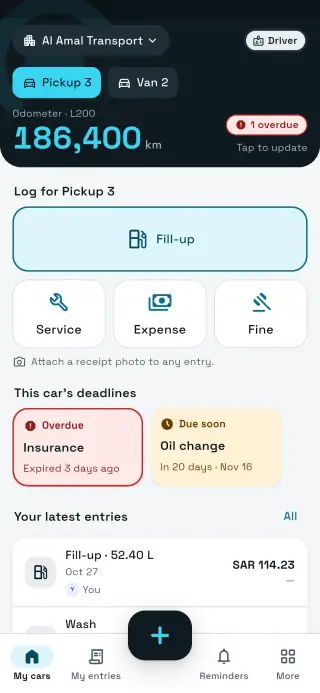
A contractor's vehicles are spread across sites far from the office: pickups for supervisors, vans and light trucks for materials, buses for crews. Sayarti+ Business puts their deadlines, fuel and service in one app, and the supervisor on site logs from their phone.
- Supervisors and drivers free
- 14-day trial, no card
- Not affiliated with any government entity
Vehicles
From the pickup to the crew bus
The app's make and model list isn't just passenger cars. It includes the pickups, vans, light and medium trucks and buses common in the Gulf and Egypt, plus a free-text field for anything missing.
Supervisor and engineer pickups
Vans and light/medium trucks for materials (Isuzu, Hino, Fuso, Hyundai Mighty and more)
Crew buses and minibuses
Office and sales cars
Roles
Who does what in a contracting company?
Owner
Owner or finance lead: everything, including billing
Manager
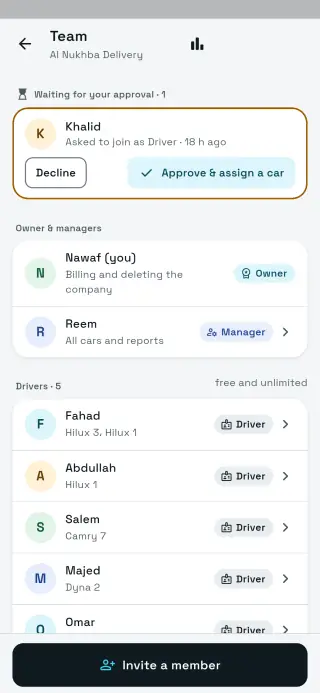
Equipment manager or project supervisor: all vehicles and reports; invites drivers and assigns vehicles
Driver
Truck or bus driver: sees only their vehicles and logs fuel, service and expenses with receipt photos
A vehicle can have several drivers and a driver several vehicles. When a driver moves to another site, reassign them in seconds.
Projects
Vehicle costs per project
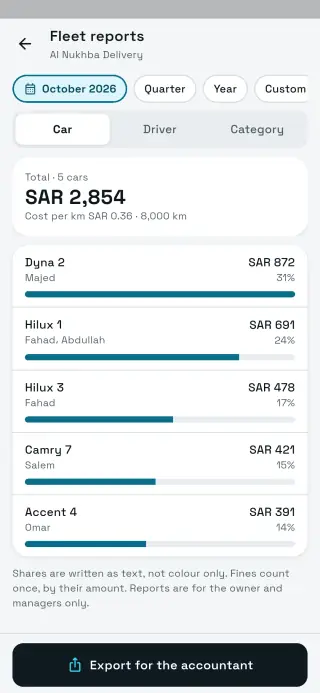
The current version has no project or cost-centre field. The practical way: name each vehicle after the project it works on (e.g. “Pickup 3 · Jasmine project”), export the cost-by-car report to Excel and add up each project's vehicles. When a vehicle moves to a new project, rename it; its earlier history stays in the reports.
Name the vehicle after the project.
Export cost by car for the project period (up to 400 days per report).
Total it in Excel or send it to the accountant.
Deadlines
A vehicle off the road means a site falls behind
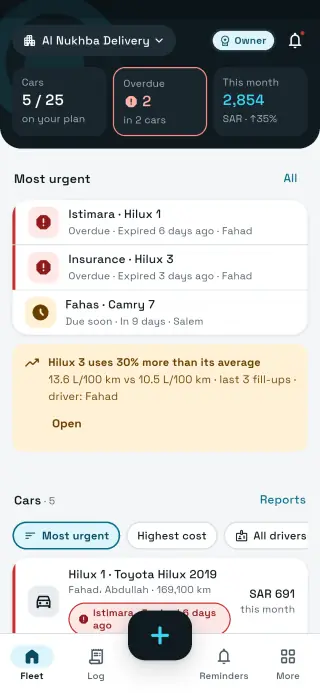
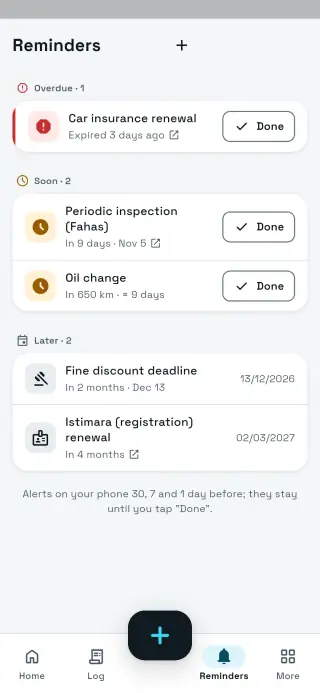
An expired registration, insurance, missed periodic inspection or expired driver's licence can each take a truck off the job. The fleet dashboard sorts every vehicle by the nearest deadline, and reminders reach the owner, managers and the assigned driver 30 days, 7 days and 1 day before. Renewal itself is done on your country's official portal.
Add your own deadlines too, such as a crane inspection or a permit renewal, as a custom reminder.
Harsh conditions
Heat, dust and heavy loads
Site vehicles work in harsh conditions and need closer service. The app's default intervals are set for hot climates; adjust them per vehicle.
Air filter: check it more often in dust
Tyres: pressure under load and in heat
Engine oil by km or months, whichever comes first
Fuel flag: when a vehicle's last 3 fill-ups run above its own average
Reports and custody
Reports for the accountant, a form for custody
Export reports by vehicle, driver or category as Excel, CSV or PDF in Arabic or English. When you hand a vehicle to a driver or supervisor as custody, use the free printable hand-over form.
Vehicle hand-over form Company car tracking template (Excel)
Need to invoice clients? Try Fawtarji, from the same developer.
Pricing
Pay by vehicles. Drivers are free.
10, 25, 50 or 100 vehicles, monthly or yearly (yearly costs 10 months). Saudi Arabia: from Pricing coming soon for 10 vehicles. Egypt: from Pricing coming soon. At your limit you just can't add another vehicle; nothing is locked.
| Plan | Saudi Arabia · monthly | Egypt · monthly |
|---|---|---|
| Up to 10 vehicles | Pricing coming soon | Pricing coming soon |
| Up to 25 vehicles | Pricing coming soon | Pricing coming soon |
| Up to 50 vehicles | Pricing coming soon | Pricing coming soon |
| Up to 100 vehicles | Pricing coming soon | Pricing coming soon |
Pricing coming soon
What it doesn't do for contractors
- No project or cost-centre field yet (use the vehicle name)
- No GPS or equipment engine-hours tracking
- No fuel cards
- Not accounting or project-management software
- A web dashboard comes later
FAQ
FAQ
Does it support trucks and buses?
Yes. The list includes common light and medium trucks and buses, and you can type any model that's missing.
How do I see vehicle costs per project?
Name each vehicle after its project, export cost by car to Excel and add it up. There's no separate project field in the current version.
Can a site supervisor invite drivers?
Yes, with the manager role: they invite and approve drivers and assign vehicles.
Does it work on a site with no signal?
Yes. Entries are saved on the driver's phone and upload once online.
Does it track where trucks are?
No. Sayarti+ Business tracks deadlines, costs and service, not locations.
Do we need drivers' ID numbers?
No. Drivers join with an invite code; we never ask for ID or Iqama numbers.
Is it affiliated with a government entity?
No. Sayarti+ is an independent app, not affiliated with any government entity. You enter the dates; we remind you.