Skip to content

Free template

Company car tracking template for Excel

Excel · Google SheetsArabic and EnglishNo sign-up

One Excel file with 6 sheets: cars, deadlines with days left and automatic colours, fuel, service, expenses, and a summary that works out each car's cost every month. Free in Arabic and English; works in Excel and Google Sheets.

  • Excel

    6 sheets with ready formulas

    • .xlsx
    • Excel 2016+
    • Google Sheets

    Size: 124 KB ·

    Download .xlsx

Free, no sign-up, no email. No macros, so no security warnings when you open it.

Sample summary sheet: monthly total cost per car
CarTotal
C01 · Hilux 11,600
C02 · Hilux 21,300
C03 · Sedan800
C04 · Van1,150

Written by Sayarti+ team

Developer of Sayarti+ and 4 other Arabic apps

What's inside the file

Fill in the “Cars” sheet once, then add a row for every fill-up, service or expense. The summary and deadlines update on their own.

Cars sheet

  1. ACar ID
  2. BName
  3. CMake
  4. DModel
  5. EYear
  6. FPlate
  7. GFuel type
  8. HCurrent driver
  9. IDepartment or project
  10. JStart odometer
  11. KStatus

Cars

Deadlines sheet

  1. ACar ID
  2. BItem
  3. CExpiry date
  4. DDays left
  5. EStatus
  6. FNotes

Deadlines

OverdueThis weekThis monthOK

Fuel sheet

  1. ADate
  2. BCar ID
  3. CDriver
  4. DOdometer
  5. ELitres
  6. FPrice per litre
  7. GAmount
  8. HFull tank?
  9. IMonth

Fuel

Fuel consumption sheet

Service sheet

  1. ADate
  2. BCar ID
  3. COdometer
  4. DItem
  5. EWorkshop
  6. FAmount
  7. GNext due (km)
  8. HMonth

Service

Expenses sheet

  1. ADate
  2. BCar ID
  3. CCategory
  4. DDescription
  5. EAmount
  6. FLogged by
  7. GMonth

Expenses

Summary sheet

  1. ACar ID
  2. BFuel
  3. CService
  4. DExpenses
  5. ETotal
  6. FKm this month
  7. GCost per km
  8. HOverdue deadlines

Summary

Km are worked out from the first and last odometer readings in the Fuel sheet that month.

Get started in 10 minutes

  1. Delete the samples

    The grey rows show how to fill it in.
  2. Add your cars

    One row per car in “Cars”, with a short ID like C01.
  3. Enter expiry dates

    Registration, insurance, inspection and driver's licence for each car. Colours appear on their own.
  4. Collect receipts weekly

    Gather fuel and service receipts from drivers, enter them, then open the summary at month end.

When a sheet is enough, and when you need an app

A sheet is great for two or three cars and one person entering everything. It gets hard with more drivers: receipts arrive late, copies of the file multiply, and nobody gets reminded.

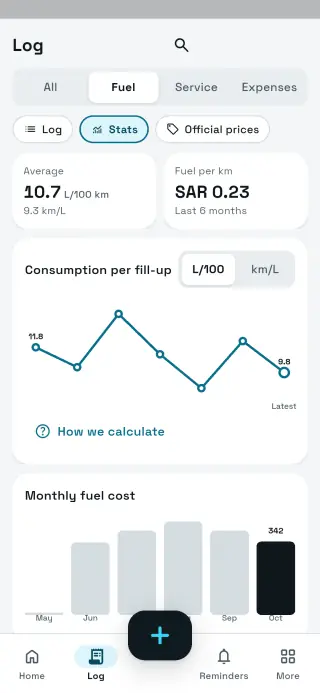
And the app’s reports export to Excel, so your accountant keeps the format they know.

Try Sayarti+ Business
Sheet vs Sayarti+ Business
SheetSayarti+ Business
Who enters dataone personevery driver from their phone
Receipt photosseparatewith every entry
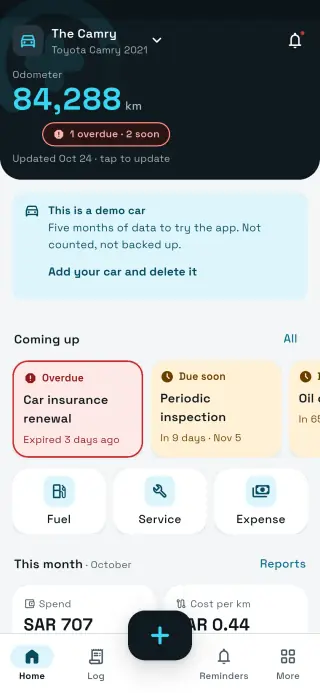
Reminder before expiry– (colour only when opened)notification to owner, managers and driver
Who sees whatanyone with the file sees everythingdrivers see only their cars
Unusual fuel useyou look for italert: a car using more than its average
Reportsyou build themready Excel, CSV and PDF
Pricefreedrivers free, priced by number of cars

Try Sayarti+ Business

Try the difference for 14 days, no card

Sayarti+ Business: every car's deadlines and costs, logged by drivers from their phones. The trial covers up to 10 cars, then you pay by number of cars.

Coming soon onGoogle Play Coming soon on theApp Store

FAQ

FAQ

Is the sheet really free?

Yes. No sign-up, no email, and you can edit and use it in your company.

Does it work in Google Sheets?

Yes. Open it in Google Sheets or upload it to Drive; every formula works there too.

How many cars does it handle?

The summary is set up for 100 cars; copy the last row down for more.

Why doesn't the sheet remind me?

Excel can't send notifications; it only colours the row when you open the file. Real reminders need an app like Sayarti+.

Can I move the sheet's data into Sayarti+?

Add the cars and their dates in the app once, and new entries start there. The app exports its reports to Excel whenever you like.

Does the file contain macros?

No. Plain formulas only, so no security warnings.
Sayarti+Your car wallet

Get the app