
Skip to content

Free template

Vehicle handover form for company cars

Word and PDFArabic and EnglishNo sign-up

A vehicle handover form is a sheet the employee signs when taking a company car and again when returning it. It records the car's condition at that moment (odometer, fuel, items, damage) so there's no argument later about who is responsible. Download it free in Arabic or English.

  • Word

    Editable: add your logo and company name

    • .docx

    Size: 121 KB ·

    Download .docx

  • PDF

    A4, print and fill by hand

    • .pdf
    • A4

    Size: 102 KB ·

    Download .pdf

  • Print this page

    Prints only the form below, on A4.

Free, no sign-up, no email. Use and adapt it for your company.

Written by Sayarti+ team

Developer of Sayarti+ and 4 other Arabic apps

What's in the form

Vehicle handover and return form

Form no.: ____

ACompany and employee

Company name
Department or branch
Employee receiving the car
Employee no. (internal)
Job title
Mobile
Driving licence expiry date

This form does not ask for national ID or Iqama numbers.

BVehicle

Make and model
Year
Plate number
Colour
VIN (optional)
Registration expiry
Insurance expiry

CCondition at handover

Date and time
Place
Odometer (km)
Next service due (km or date)
Fuel levelEmpty¼½¾Full
CleanlinessCleanOKNeeds a wash

DItems and documents

ItemPresentMissingNotes
Spare tyre
Jack and wheel spanner
Warning triangle
First-aid kit
Fire extinguisher
Registration card copy
Insurance policy copy
Number of keys: ___
Remote or key card
Other: ___

EVisible damage

Mark: S = scratch · D = dent · B = broken

Damage notes
Damage notes
Damage notes
Photos taken of all four sides: Yes / NoYesNo
Where are the photos kept? ____

FAcknowledgement and signatures

I confirm that I received the vehicle described above in the condition recorded, and I will look after it, use it for work in line with company instructions, return it on request in the same condition apart from normal wear, and report any accident, fine or fault to the company straight away.

Received by (employee)

Name
Signature
Date

Handed over by (for the company)

Name
Signature
Date

GReturn

Return date and time
Odometer at return
Km driven (return − handover)
Fuel level at returnEmpty¼½¾Full
All items back? Yes / No, missing: ___
New damage? Yes / No, describe: ___
Fines during the period?YesNoTo check later

Received for the company

Name
Signature
Date

Employee

Name
Signature
Date

A guidance template from Sayarti+ for organising work inside your company. It is not an official document or legal advice. Check your country's labour rules or a legal adviser if you need binding wording.
A guidance template from Sayarti+ for organising work inside your company. It is not an official document or legal advice. Check your country's labour rules or a legal adviser if you need binding wording.

How to use the form, step by step

  1. Prepare the form

    Add your logo and company name in the Word file and print two copies: one for the employee, one for your records.
  2. Walk round the car together

    Record the odometer and fuel level, count the items and keys, and mark every scratch on the drawing.
  3. Take photos

    Four photos from each side and one of the odometer, with the date. A photo settles a dispute faster than paper.
  4. Sign and file it

    The employee and the person handing over for the company sign, and the copy goes in the car's file.
  5. On return, compare

    Fill in the return section, work out the km driven, and compare photos and items with what was recorded at handover.

Tips that prevent disputes

  • Don't hand over a car to a driver whose licence has expired
  • Hand over at a written fuel level and ask for the same on return
  • Check fines on the car in your country's official portal at return
  • Write in company policy who pays fines and who covers damage
  • Don't accept “present” without seeing the item
  • File forms by car and date
  • Use a new form at every driver change, even for a few days

Paper for the signature, the app for the follow-up

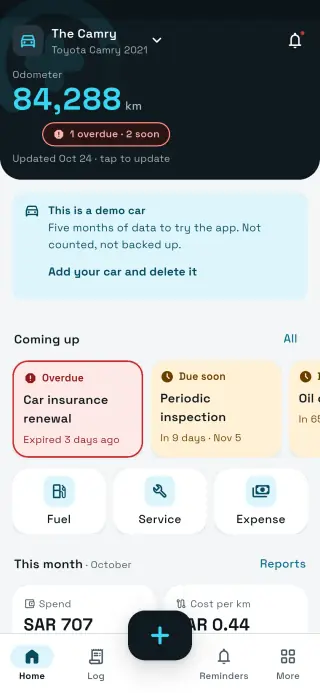
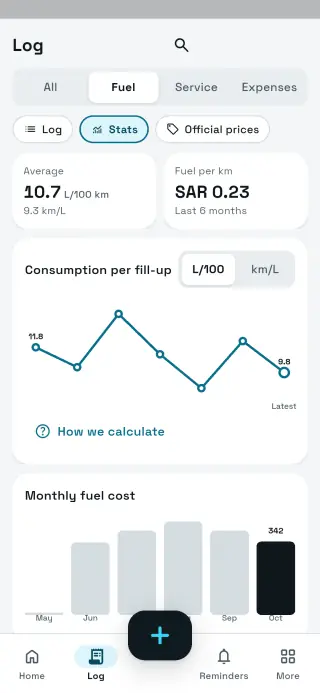
In Sayarti+ Business you assign the car to a driver, who then sees only that car and logs its fuel, service and costs with receipt photos. When the car moves to another driver, the first driver's entries stay under their name.

Try Sayarti+ Business
Paper form vs Sayarti+ Business
Paper formSayarti+ Business
Employee signatureIncluded– (keep the paper)
Who drives the car nowthe last form on filecar assigned to the driver in the app
Photoson someone's phoneattached to the entry
Odometer and fuel after handoverNot availableevery fill-up with who logged it
Registration, insurance, licence remindersNot availableto owner, managers and driver

Try Sayarti+ Business

Hand over on paper, follow up in the app

Sayarti+ Business: assign cars to drivers, keep receipt photos, every car's deadlines and its monthly cost. Drivers are free; 14-day trial with no card.

Coming soon onGoogle Play Coming soon on theApp Store

FAQ

FAQ

What is a company car handover (custody)?

A company-owned car given to an employee for work, who is responsible for it until it's returned. The form records its condition at handover and return.

Is this an official document?

No. It's a guidance template for organising work in your company. For binding wording, check your country's labour rules or a legal adviser.

Should I add the employee's ID number?

Our form doesn't include it. Name, internal employee number and licence expiry are enough to know who has the car.

Can I edit the form?

Yes. The Word file is editable: add your logo, remove what you don't need or add items for your vehicles.

Does it work for a rental or a used car?

It records condition at handover and return in any case, but selling a car needs an ownership transfer on your country's official portal; this form doesn't replace that.

Is Sayarti+ linked to a government body?

No. Sayarti+ is an independent app, not affiliated with any government entity, and we wrote this form ourselves.

Sayarti+Your car wallet

Get the app